What's new
New features and changes in the admin panel, newest first.
Updated 27 October 20264 min read
This page collects what's new in the admin panel, release by release. Each item links to its guide.
Which version is your installation on?
New features can reach installations at different times. If you can't find a feature in your panel, ask your administrator.
In development · October 2026
These features aren't in a release yet and may not have reached your installation.
- Private pages: Open pages only to people you invite, to anyone with a shared group password, or to visitors from your organization's network. Includes a setup wizard, people lists and sign-in screen texts. See Private pages.
- Option catalog for list keys: A list key can have ready-made options with a label per language. Editors get suggestions while entering values; a value outside the catalog is flagged.
- Transfer backups: Saved backups are grouped in the list, a single backup can be deleted, and the backup type is shown.
Release 2.4 · 3 October 2026
- Redirects screen and 404 report: Add, edit and remove redirects on their own screen; choose the redirect code, fix problem rows in place and see how often each one is used. The 404 tab lists addresses that weren't found, with target suggestions. Redirect loops are blocked.
- Content transfer between installations: A plan that shows what will change before anything is written, transferring selected pages, and a backup first. Whether transfer is on is set under Settings › Transfer.
- Site health screen: Issues that need attention on the site and its pages, on one screen.
- Media folders: Organize media in folders; the picker shows subfolders. See Media management.
- Roles, permissions and settings: The role and permission screens and the settings were reorganized. See Users and roles, Settings.
- Who made each change: The change history shows the name and e-mail of the person who made each change. See History, errors and visitors.
- Approval details: The edit screen shows differences in list components and the number of pending differences. See 5.2 · Publishing.
Release 2.3 · 15 September 2026
- SEO and structured data: The schema view on the SEO screen shows what the site actually prints; rows the site doesn't print are flagged. Pages got a page type field. See SEO and GEO.
- New health checks: Warnings for a missing organization name or logo, paths that aren't under their parent page, duplicate titles and descriptions, untranslated language copies, and SEO texts that aren't in the page's language. The page list got a Expired and removed filter.
- Changing a path moves subpages too: Change path changes the subpages' addresses along with the page. See Page layout.
- Agenda: Redirects left behind by path moves are no longer listed; today's items whose time has passed show as Went live. See Agenda and notifications.
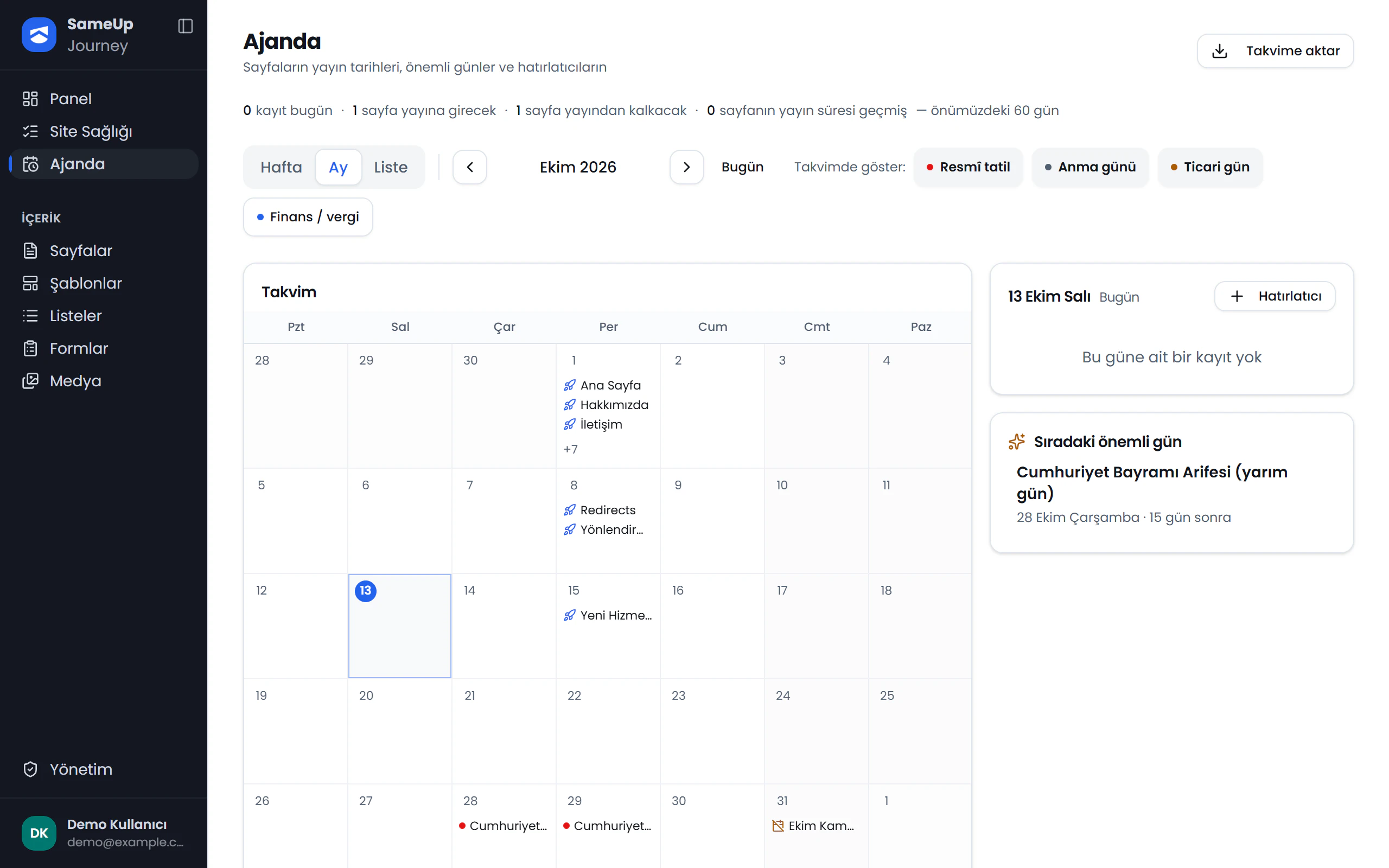 Agenda screen
Release 2.3 · 14 September 2026
- Form validation rules: Add ready-made validation rules to fields and reorder them by dragging; edit the validation messages for each language on their own screen.
- Conditional submission flow: The submission flow can branch on the visitor's answers.
- New fields: An "other" text box, a province/district field and field copy. A warning appears when you leave with unsaved changes.
See 4 · Build a form.
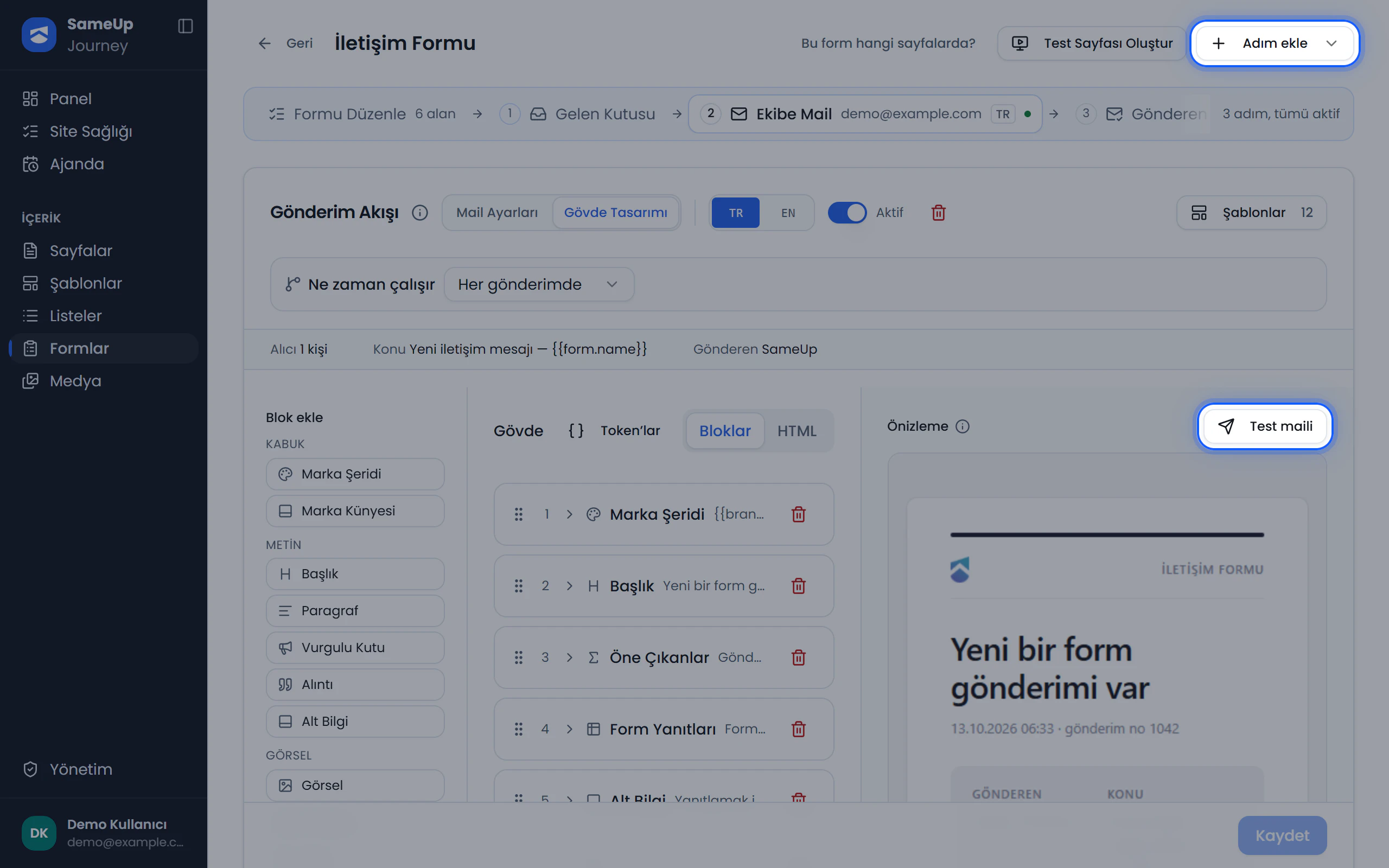 Form submission flow
Release 2.3 · 11 September 2026
- New page list: A table view that remembers your choice, an always-open search and filters gathered in one menu. See Pages.
- New page edit screen: A new layout, a language switcher and a full-screen visual editor.
- SEO screen: The meta draft is editable, with the live value right below it.
- A redesigned sign-in screen.
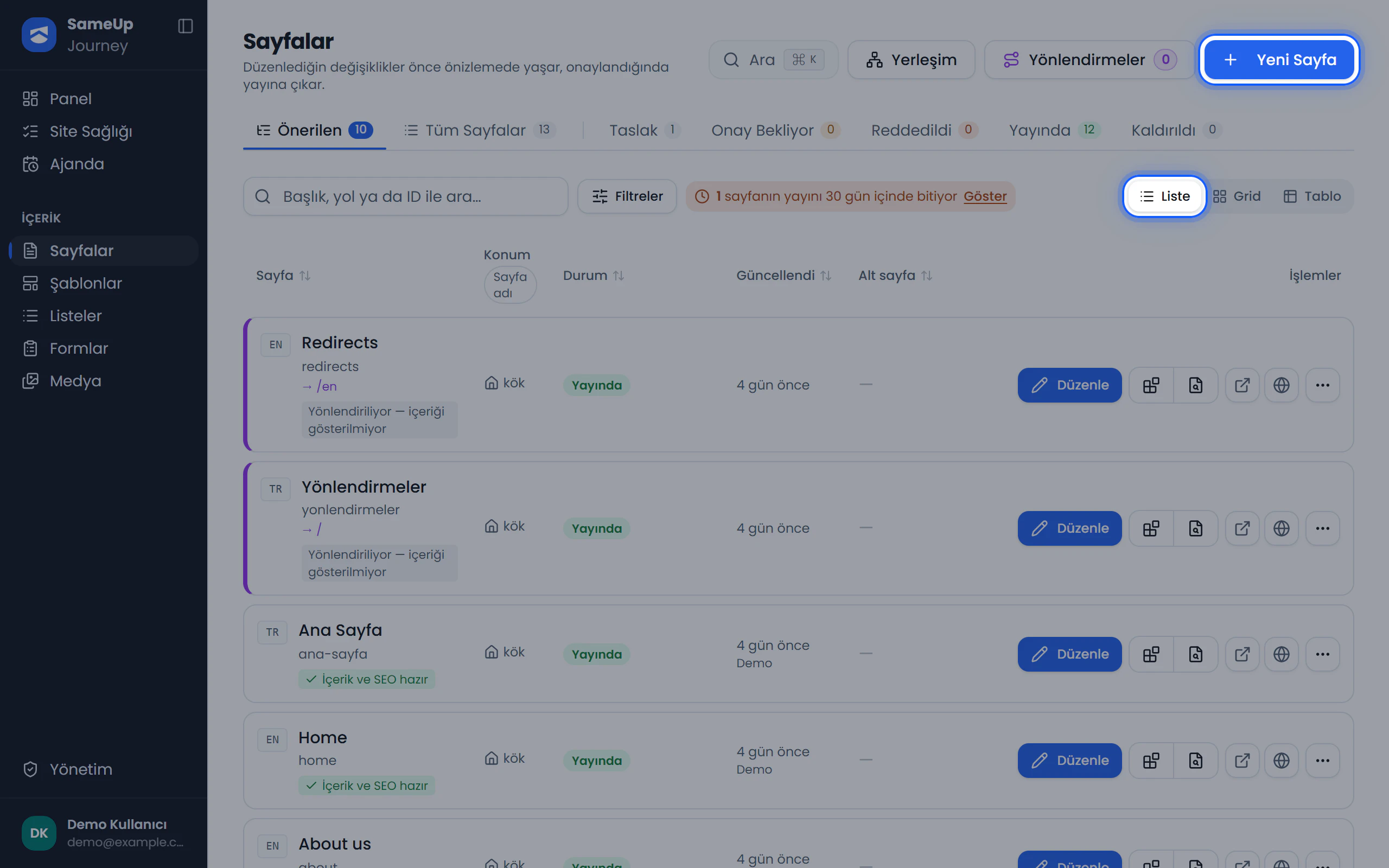 Page list
Early September 2026
- Notifications and daily summary: A bell icon, a notifications screen and an optional daily summary e-mail. See Agenda and notifications.
- Agenda: The publishing calendar and key dates on one screen.
- SSO sign-in and registration requests: Corporate single sign-on and a screen to approve new users. See SSO registration requests.
- Form presets: Start a form from a ready-made template. See 4 · Build a form.
- User detail page. See Users and roles.
August 2026
- Form submissions: Delivery status for submissions and Retry for failed ones. Phone, date, time and meeting time fields; copying a form.
- Webhook body template: A body template with live preview, and basic authentication.
- The Change path dialog and a tabbed settings screen.