Content model
Learn how pages, paths, page types, templates, and lists relate to each other in Journey AI.
This page introduces the core content structures in Journey AI and how they connect.
Page
A page is an address on the site. Every page has a title, a path, a language, an optional parent page, a template, a publishing window, a redirect, and a component tree.
A page attached to a parent is a subpage. Subpages form the site's menu and breadcrumb hierarchy. You arrange this hierarchy per language with drag and drop on the Page layout board. See Page layout.
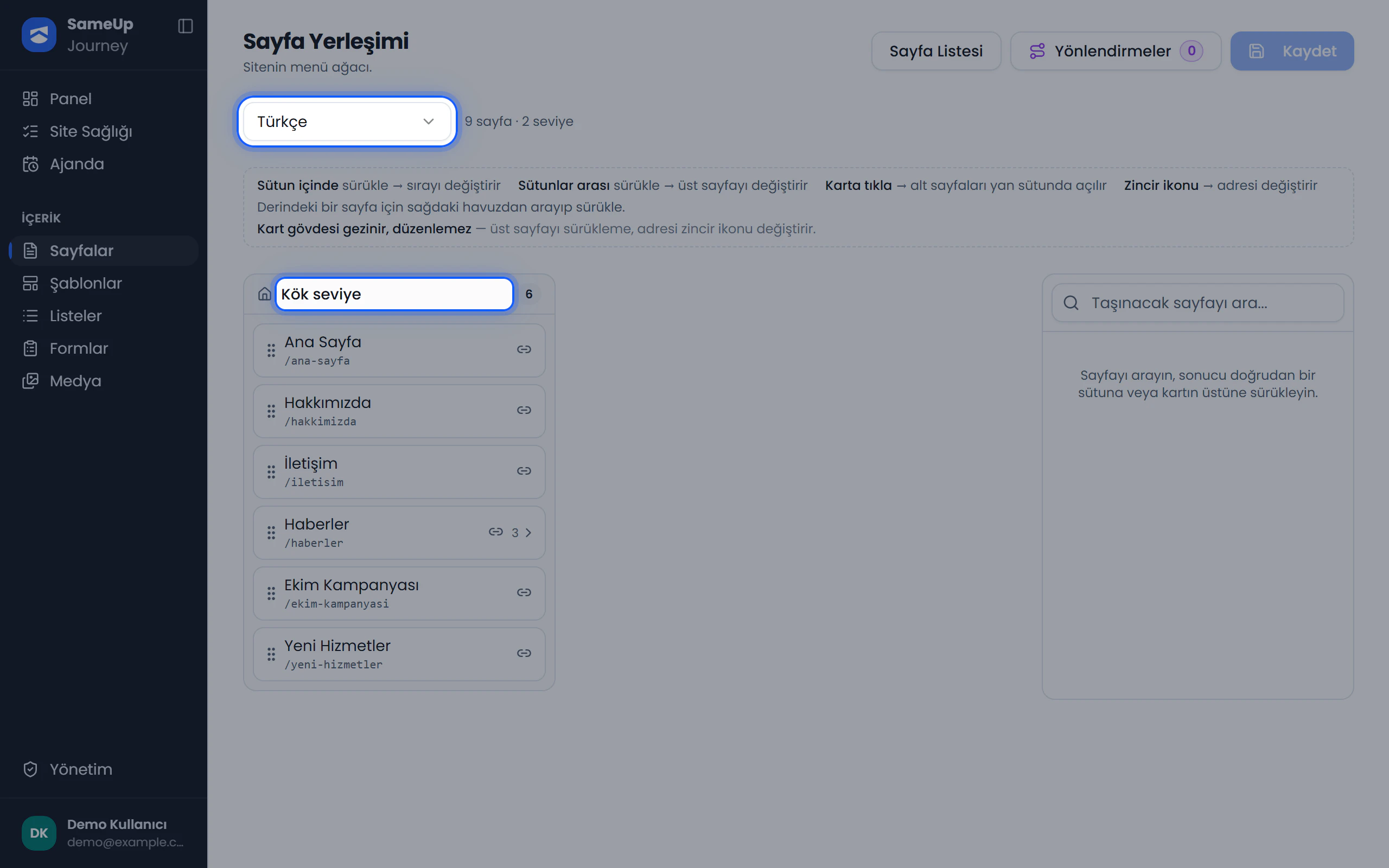 Page placement board — menu tree per language
Path
The path is the page's URL, written without a leading /:
kurumsal/hakkimizdaWhen you change a path, you can optionally leave a permanent (301) or temporary (302) redirect on the old address.
Page type
Each page gets a primary schema.org type: WebPage, CollectionPage, BlogPosting, or NewsArticle. Article types require a headline, an image, and a publish date; if any are missing, page health shows a warning. You can set a default type for subpages.
Component and placement
A component is a building block defined in the catalog (for example, hero-banner). It has a title, a slug, a type, and flags, and it belongs to no page.
A placement is a component placed into a page or template tree. Content lives on the placement, so the same hero-banner can carry ten different texts on ten pages.
Template
A template is a component tree shared across pages, such as the top menu, header, and footer.
- Every template has a language, and every language has a default template.
- Pages without a selected template use the default template for their language.
- A page stays linked to its selected template; the template is not copied into the page. An approved change to a template appears on every page that uses it.
- Templates have their own approval flow, separate from pages.
Language and language variant
Every language has a name, an ISO code, a URL prefix (for example, /en), and a default flag. The root language has an empty prefix.
The same page in another language is a language variant. Variants are linked by a shared unique name. Pages, templates, forms, and SEO data are all kept per language.
List
A list is a schema that adds typed fields to pages without touching their component tree. Use it for repeating content such as news, announcements, team members, and products.
For example, the ready-made News / Blog list adds Summary, Cover image, and Publish date fields to every page in the list. To show the list on the site, you generate a List component and place it on a page. Field values go live through the page's approval flow.
See the Lists guide for a step-by-step setup.