Introduction
Learn what Journey AI is, who it is built for, and which parts it is made of.
This page explains what Journey AI does, who uses it, and the three parts that make up the system.
What is Journey AI?
Journey AI is a multilingual content management platform for corporate websites. It lets a company manage its pages, menus, forms, images, and SEO data without writing code.
Content is not stored as HTML. It is stored as component trees. Every change goes through an approval process and appears on a separate preview site before it reaches the live site.
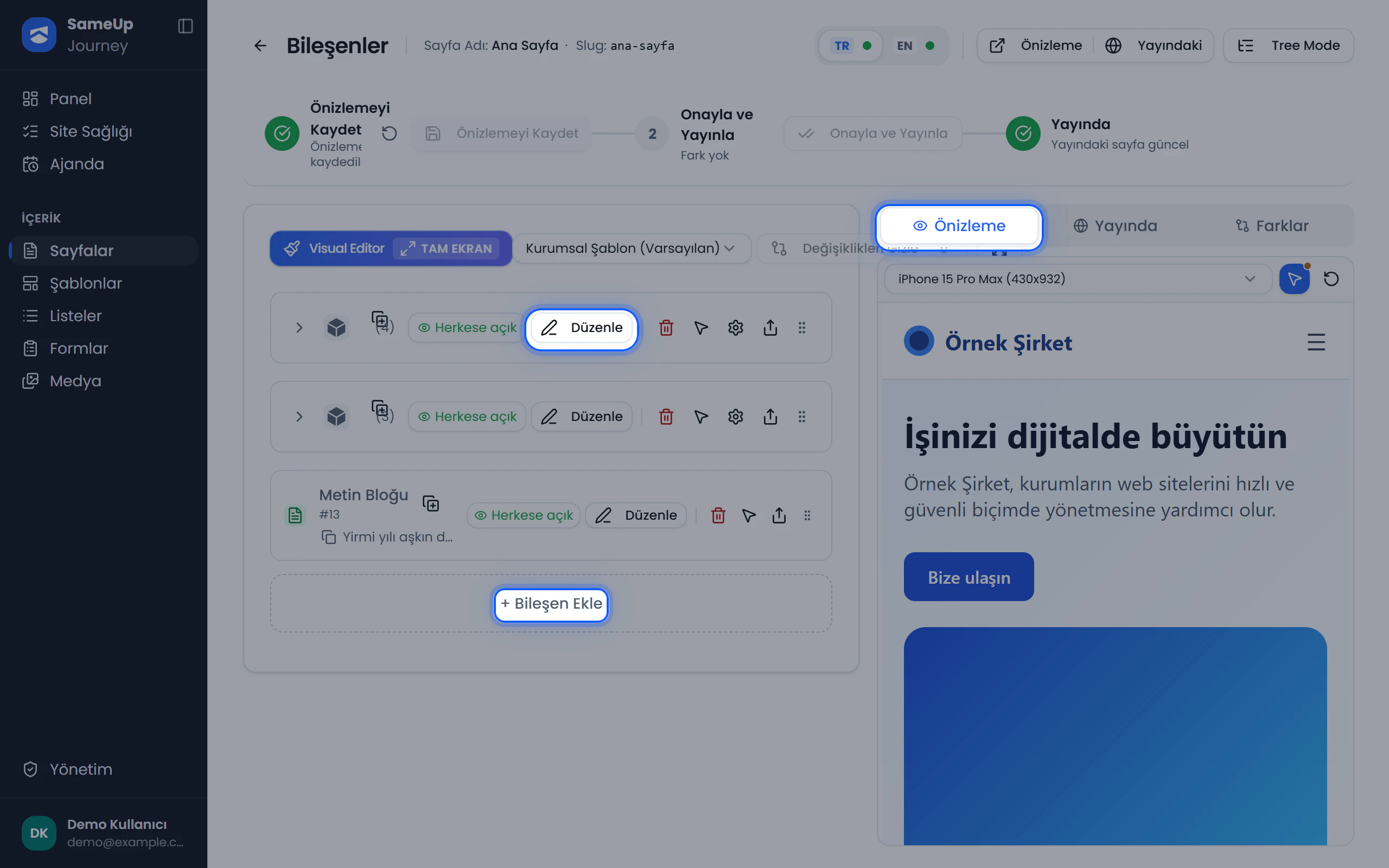 Component editor — component tree on the left, preview site on the right
Who is it for?
Journey AI has no fixed roles. Access is built from permissions, and permissions are grouped into roles. What a user can do depends on the roles they hold. Typical users include:
| User | What they do |
|---|---|
| Editor | Creates pages, edits components and SEO, sends changes for approval. |
| User with approval permission | Reviews pending changes with their diffs, then approves or rejects them. |
| Structure admin | Sets up the component catalog, templates, languages, and lists. |
| Form owner | Builds forms, designs submission flows, and manages the inbox. |
| Administrator | Manages users, roles, settings, and system screens. |
| Site developer | Works in code rather than the admin panel, building the organization's site from the site template. |
Three parts
Journey AI consists of three parts:
- Admin panel: The web app where editors, users with approval permission, and administrators work. The interface is in Turkish.
- API: Stores content, enforces business rules, and serves it to sites.
- Site template: Turns managed content into web pages for visitors.
Each installation has its own API, database, file storage, and two sites (preview and live). No data is shared between installations. See Architecture for details.
Where to start
Related pages
Component tree
Learn about the nested component tree behind every page, container and leaf types, and visibility options.
Architecture
Learn how the admin panel, API, and sites talk to each other, and how a change reaches the live site.
Meet the dashboard
Get to know the admin panel home screen, pending work, and quick-access tools.